
Table of Contents
- What Phantom Energy Load Means and Why It Matters
- Appliances That Use Electricity When Turned Off
- How to Measure Electricity Usage and Run a Device-by-Device Audit
- Smart Power Strips: Types, Selection, and Safe Setup
- When Not to Unplug or Switch Off Equipment
- How to Reduce Electric Bill with Phantom Load Savings
- Conclusion: A Room-by-Room Plan for Lasting Savings
- Frequently Asked Questions
Last Updated: October 8, 2026
What Phantom Energy Load Means and Why It Matters
Phantom energy load is the electricity your home draws from devices that are switched off but still plugged in, also called standby power, phantom load, or vampire power.
The U.S. Department of Energy’s energy saver guidance notes that this constant draw adds up across dozens of devices. A single charger wastes pennies. Thirty of them waste real money.
At Anthony & Son Indoor Air Quality, LLC, we see this across Maryland, DC, and Northern Virginia, where homeowners blame their HVAC system for high bills while idle electronics quietly drain power too.
How Standby Power Is Consumed When Devices Are Off
Standby power is the electricity a device uses while waiting for a signal: a television waits for your remote, a game console for a controller, a laptop charger for a battery.
That waiting state still pulls watts from the wall, the device is not truly off, and idle devices still spin your electric meter.
Appliances That Use Electricity When Turned Off
Appliances that use electricity when turned off are more common than most people expect: anything with a clock, light, remote sensor, or power brick qualifies, and older devices waste more.
Common Energy Vampires Around the Home
These are the usual suspects we find in local homes:
- Cable boxes and streaming players
- Televisions and sound bars
- Gaming consoles
A desktop workstation is often the biggest power hog in a home office, with monitor, tower, and USB hub all drawing at once.
A common mistake is assuming a device is off because the screen is dark. Many electronics keep drawing power in off mode as long as the plug stays in the wall. Skipping this check means you never find your real energy waste.
How to Measure Electricity Usage and Run a Device-by-Device Audit
How to measure electricity usage starts with one cheap tool: a plug-in power meter (also sold as a watt meter or electricity usage monitor). It sits between the outlet and the device, displaying real-time watts, accumulated kilowatt-hours, and projected cost. Most cost $20 to $35, and many let you enter your utility’s rate for an accurate cost readout.
What a Plug-In Meter Actually Shows You
A basic meter cycles through four readings:
- Watts (W): instantaneous draw. This is the number you want for standby measurement.
- Kilowatt-hours (kWh): accumulated energy since you last reset it.
- Cost: kWh multiplied by the rate you entered.
For standby work, watts is the key figure: 0.0 W means genuinely off, anything above zero means still pulling power.
Example Standby Readings (Illustrative)
Exact numbers vary by make, model, and age, but a common pattern in homes is:
| Device (off or idle) | Typical standby draw |
|---|---|
| Older cable or satellite box | 15-30 W |
| Game console in “instant on” mode | 5-15 W |
| Desktop tower in sleep | 2-6 W |
| Monitor in standby | 0.5-2 W |
| Sound bar | 2-8 W |
| Printer in sleep | 1-5 W |
| Phone charger with no phone attached | 0.1-0.5 W |
| Microwave clock | 2-4 W |
Use these as a sanity check, not a substitute for your own readings. A 20 W cable box running 24/7 uses about 175 kWh per year, roughly $28 at 16 cents per kWh, and across a household the total climbs quickly.
The Audit Process, Step by Step
- Pick one room. Auditing the whole house at once leads to abandoned clipboards.
- List every device on that room’s outlets, including power bricks, hubs, and chargers.
- Plug the meter into the outlet, then plug one device into the meter.
- Record watts while the device is off or idle, noting whether it has a true off switch or only standby mode.
- Leave the meter in place for 24 hours to capture real daily kWh, including wake cycles.
- Reset and repeat for each device; one room usually takes 60 to 90 minutes.
- Convert to annual cost: watts × hours idle per day ÷ 1,000 × 365 × your rate per kWh.
- Rank the list from highest annual cost to lowest.
How to Prioritize What to Fix First
Rank by annual cost, not raw watts: a 30 W device idle two hours a day may cost less per year than a 5 W device idle 22 hours a day, and the formula above handles that automatically.
A practical rule: fix anything above roughly $10 per year first. Those devices usually pay back a smart strip or a changed habit within a few months.
Cross-Check Against Your Utility Data
Pull your last few months of usage from your utility’s online account and compare the daily kWh figure against what your meter readings suggest. If the bill is meaningfully higher, something unmeasured is drawing power, a garage freezer, a photocell outdoor light, or a device on a forgotten circuit.
Audit in summer or winter when your bill is highest. The contrast between your measured plug loads and your total usage makes it obvious how much of the bill is phantom load versus heating, cooling, or major appliances.
Some devices draw a brief surge when first plugged into a meter. Wait 30 to 60 seconds for the reading to settle before recording standby watts.
A Renter-Friendly Version
If you rent, you may not be able to swap outlets or install monitoring hardware. The plug-in meter approach works anyway because it sits between the wall and your device. Focus on the devices you own and control: your TV, console, computer, chargers, and small kitchen appliances. Leave the landlord’s refrigerator, built-in microwave, and hardwired equipment alone.
Smart Power Strips: Types, Selection, and Safe Setup
Smart power strips cut power to idle devices automatically, the easiest fix for phantom load, since the strip does the switching and you change nothing about how you use your electronics.
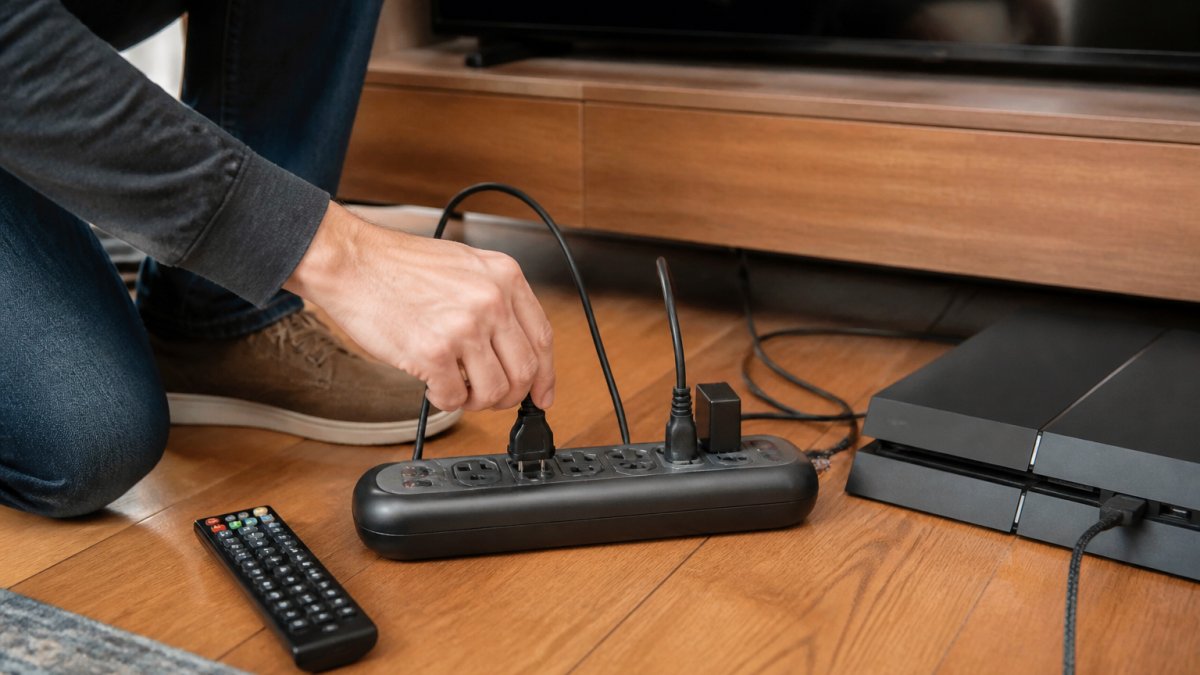
The Four Control Types and When Each Fits
- Master-controlled strips have one “control” outlet and several “switched” outlets. When the device on the control outlet (usually a TV) powers down, the switched outlets cut off. Best for entertainment centers and home offices where one device signals the end of a session.
- Timer strips switch all outlets on and off at set times. Best for chargers, lamps, and devices with predictable daily schedules. Less useful for gear you use at random hours.
- Occupancy strips use a motion sensor and cut power when the room is empty. Best for rooms with intermittent use, like a guest room or a workshop. They can be annoying in rooms where you sit still for long periods.
A common pattern combines types: master-controlled at the TV, timer at the charging station, app-connected at the home office desk.
Electrical Ratings: What to Check Before You Buy
Every strip has a maximum rating printed on it, usually in amps and watts (for example, 15 A / 1,800 W). Add up the wattage of everything you plan to plug in and stay comfortably under that number; a space heater, hair dryer, or microwave can each pull 1,000 W or more and should not share a strip with other high-draw devices.
Also check:
- UL listing. Look for the UL mark on the strip or packaging. Unlisted strips are a fire risk.
- Cord gauge. Heavier-gauge cords (lower AWG number) handle more current with less heat.
- Outlet spacing. Wide-spaced outlets accommodate power bricks that would otherwise block adjacent sockets.
Surge Protection vs. Switching: They Are Not the Same
A smart strip that switches outlets off is not necessarily a surge protector, and vice versa. Surge protection diverts brief voltage spikes to ground; switching simply cuts power. For computers, TVs, and audio gear, look for a strip that does both; for simple chargers and lamps, switching alone is fine.
Surge-protection components wear out over time, especially after absorbing a large surge, so a strip that has weathered several storms may need replacing even if it still powers on.
What Should Never Share a Strip
- Refrigerators, freezers, and sump pumps. These need continuous power and high starting current.
- Medical devices. Never put life-support or monitoring equipment on a switched strip.
- Routers, modems, and smart-home hubs. Your security system, thermostat, and cameras may depend on them.
Safe Setup Rules
- Match the strip’s rating to the total load you plug in.
- Never daisy-chain one strip into another.
- Keep strips off carpets, away from water, and out of foot traffic.
Pick the strip type by routine, not by price. Master-controlled for entertainment centers, timer for charging stations, occupancy for intermittent rooms, and app-connected for per-outlet control and tracking. Then verify the amp and watt rating before you plug anything in.
A smart strip does not reduce the total energy a device uses while it is on. It only eliminates the standby draw when the device is off. If a device runs 12 hours a day, the strip saves you the other 12 hours, not the whole day.
When Not to Unplug or Switch Off Equipment
Some devices should stay plugged in. Unplugging the wrong equipment can cost you more than it saves.
- Refrigerators and freezers: unplugging spoils food and strains the compressor on restart.
- Sump pumps: these must run during storms, no exceptions.
- Medical devices: never cut power to equipment someone depends on.
If you are unsure about a device, leave it plugged in and ask a qualified technician. The FTC’s guidance on energy claims is a good reminder that savings claims deserve scrutiny, including your own.
How to Reduce Electric Bill with Phantom Load Savings
To reduce electric bill costs from phantom load, focus on devices that draw the most watts for the most hours: a cable box running all day matters more than a charger you use twice a week.
Do the math with your own rate: watts × hours off per day ÷ 1,000 × 365 × your rate per kilowatt-hour gives the annual cost for that one device.
Where does HVAC fit in? Heating and cooling is usually the largest slice of a home energy bill. So pair your phantom load fixes with a tune-up.
Put your entertainment center and home office on smart strips first. Those two areas hold the most idle devices, so they deliver the fastest savings with the least effort.
Conclusion: A Room-by-Room Plan for Lasting Savings
Walk your home one room at a time: a master-controlled strip for the living room TV, console, and sound bar; a smart strip for the office computer, monitor, and USB hub; unplugged chargers and a switched-off printer in the bedroom; and in the kitchen, leave the fridge and microwave alone and focus on small appliances with timers.
Then look at the bigger picture. If your HVAC system is aging, no amount of unplugging will offset an inefficient unit. Anthony & Son Indoor Air Quality, LLC offers HVAC repair, system installation, preventative maintenance, and indoor air quality services for homes and businesses across Maryland, DC, and Northern Virginia.
Frequently Asked Questions
What is ghost electricity and how much does it cost?
Ghost electricity, also called phantom load or standby power, is the electricity devices draw when they are turned off but still plugged in. It typically adds 5% to 10% to a household’s electricity use. The exact cost depends on your utility rate and how many devices you keep plugged in. At an average rate of 16 cents per kilowatt-hour, a home with 50 watts of continuous standby draw pays roughly $70 per year for power it never actively uses.
Do smart power strips reduce phantom energy use?
Yes. Smart power strips cut phantom energy by disconnecting power to grouped devices when the master device turns off or when a timer or occupancy sensor triggers. A current-sensing strip, for example, detects when your TV goes into standby and cuts power to the soundbar, game console, and streaming box at the same time. This eliminates standby draw from every device on the switched outlets without requiring you to unplug each one manually.
Should I unplug appliances to save electricity?
Unplugging inactive electronics and fully charged devices works, but it is not practical for everything. Focus on chargers, small kitchen appliances, and entertainment equipment that sit idle for hours. Leave refrigerators, freezers, routers, alarm systems, and medical devices plugged in. For hard-to-reach outlets, use a smart power strip or a switched outlet instead of pulling plugs daily. Pair unplugging with energy-efficient appliances to maximize savings.
How can I measure standby power use at home?
Use a plug-in watt meter, also called a kill-a-watt meter, between the device and the wall outlet. Turn the device off and let it sit in standby mode, then read the wattage after a few minutes. Record the watts for each device over 24 hours to get a kilowatt-hour figure. Multiply that by your utility rate to see the annual cost. A home energy monitor or utility usage data can confirm the whole-house impact of your changes.