
Table of Contents
- How Smart Home Automation Cuts Energy Consumption
- Smart Thermostat Energy Savings: Climate Control That Adjusts Itself
- Smart Lighting Energy Efficiency and Occupancy-Based Controls
- Home Energy Monitoring Devices: Real-Time Usage Data
- Smart Home Automation Examples for Saving Energy, Room by Room
- Making Devices Work Together: Compatibility and System Selection
- Measuring Verified Savings, Payback, and What Automation Cannot Fix
- Frequently Asked Questions
Last Updated: October 6, 2026
How Smart Home Automation Cuts Energy Consumption
Smart home automation for energy conservation is the practice of using connected devices, sensors, and schedules to run your home’s biggest energy users only when they’re actually needed. Homeowners can cut waste by fixing the systems that drive their bills, not by chasing gadgets. The biggest gains come from heating and cooling, which the U.S. Department of Energy’s home energy use guidance identifies as the largest share of most household energy bills. Below, we’ll walk through each system, room by room, and show you how to set it up and check whether it’s really saving you money.
Where Home Energy Waste Actually Happens
Most waste hides in plain sight. A system that heats an empty house, lights left on in unused rooms, and devices that pull power while “off” all add up.
- Heating and cooling: runs on a fixed schedule, not on real demand
- Lighting: stays on in rooms nobody is using
- Standby power: TVs, chargers, and consoles draw power 24/7
- Air leaks and dirty filters: force your system to work harder
Fix the demand side first. Automation only helps when the equipment underneath it is running well.
Smart Thermostat Energy Savings: Climate Control That Adjusts Itself
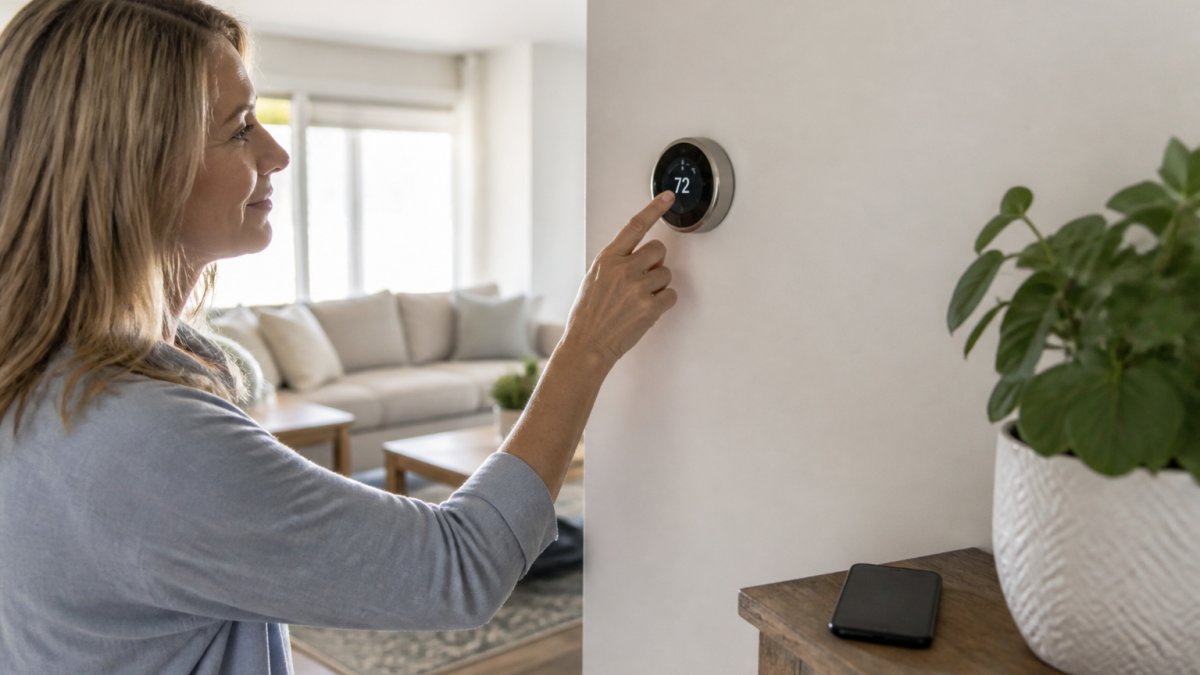
A smart thermostat is a connected device that learns your routine and adjusts heating and cooling automatically, so you’re not paying to condition an empty home. It’s the single highest-impact automation for most households.
Temperature Schedules and Geofencing
Set back temperatures when you’re asleep or away, then recover before you return. Geofencing uses your phone’s location to switch modes automatically when the last person leaves and the first one comes back. A common approach is a 7-10 degree setback for several hours a day. Pair it with a well-maintained HVAC system, and the savings hold up.
Set your thermostat to “auto” rather than “fan on.” A fan that runs constantly circulates air you already paid to cool or heat, and it adds wear to the blower motor.
Smart Lighting Energy Efficiency and Occupancy-Based Controls
Smart lighting energy efficiency comes from one idea: light only where someone is, only when they’re there. Occupancy and motion sensors handle this without you thinking about it.
- Occupancy sensors: detect presence, best for living rooms and offices
- Motion sensors: trigger on movement, ideal for hallways and stairs
- Daylight control: dim or shut off lights when natural light is strong
- Schedules: run porch and security lights on a timer
Swap in LED bulbs at the same time. Automation on top of old incandescent bulbs wastes the savings.
Home Energy Monitoring Devices: Real-Time Usage Data
Home energy monitoring devices track electricity usage in real time and show you where it’s going. That data turns guesswork into decisions. You can see which appliances spike your usage and when.
Most systems offer an energy dashboard through an app, with remote access from anywhere. Some pair with smart plugs to control individual appliances. The value isn’t the dashboard itself. It’s catching the always-on loads you never noticed.
Don’t rely on a single monitoring reading to judge a device. A fridge cycles on and off, so a short snapshot can mislead you. Watch usage over a full day before you act.
Smart Home Automation Examples for Saving Energy, Room by Room
Smart home automation examples for saving energy work best when you sequence them. Start where the waste is largest, verify the change on your bill, then move to the next room. A blanket schedule across the whole house usually underperforms a staged rollout.
A Sequenced Setup Plan
- Baseline first. Pull 12 months of utility bills and note the seasonal swing. This is the number every later change gets measured against.
- Heating and cooling. Install and configure the thermostat before anything else. Set a schedule, enable geofencing, and run it for one full billing cycle.
- Lighting in the highest-traffic rooms. Living areas and hallways first, then bedrooms and exterior.
- Standby loads. Add smart plugs to entertainment centers, chargers, and small kitchen appliances.
- Monitoring. Add whole-home monitoring last so you can see the effect of the earlier steps rather than a blended number.
Room-by-Room Placement and Routines
- Living areas: mount occupancy sensors at ceiling height with a clear line of sight to seating. Set a 5-15 minute vacancy delay so the lights don’t drop while someone is sitting still.
- Bedrooms: schedule overnight thermostat setbacks and use motion-triggered under-bed or hallway lighting instead of leaving overhead lights on.
- Home office: put monitors, docks, and speakers on a smart plug that cuts power after a set idle period. This is where phantom loads concentrate.
- Kitchen and laundry: smart plugs on coffee makers, toaster ovens, and similar small appliances. Avoid switching high-draw appliances like refrigerators or dryers on a plug rated below their load.
- Unoccupied rooms: close supply vents, drop the setpoint, and shut lights. Don’t close more than a small fraction of vents in a forced-air system, since excess static pressure can strain the blower.
- Exterior: run porch and security lighting on astronomical timers that follow sunrise and sunset rather than fixed clock times.
| Room | Device | Automation Routine | What It Fixes |
|---|---|---|---|
| Living area | Occupancy sensor | Lights off after 10 min vacant | Wasted lighting |
| Bedroom | Smart thermostat | Overnight setback | Heating empty rooms |
| Home office | Smart plug | Cut standby after idle | Phantom loads |
| Kitchen | Smart plug | Off after morning window | Standby draw |
| Whole home | Geofencing | Away mode on exit | Conditioning empty homes |
Testing Each Step
After each stage, compare the same billing period year over year, not month over month, weather skews short comparisons. If usage doesn’t move, check the automation log in the app before assuming the device failed. Most “no savings” cases trace to a schedule that never triggered, a sensor aimed at a heat vent, or a geofence radius that’s too wide.
What Devices Cost and What Offsets Exist
Budget ranges vary widely by brand and feature set, so treat any single figure as a starting point rather than a quote. In general, smart plugs are the lowest-cost entry, smart bulbs and switches sit in the middle, and smart thermostats and whole-home monitors are the highest-cost single devices. Many utilities run residential rebate programs for qualifying thermostats and connected devices, and federal tax credits have historically applied to certain efficiency upgrades, check the current program terms and your utility’s incentive page before buying, since eligibility and amounts change annually. Some devices also carry optional subscriptions for advanced features; factor that recurring cost in when comparing options.
Making Devices Work Together: Compatibility and System Selection
Compatibility decides whether your devices talk to each other or fight each other. Before you buy, check which platforms your devices support and whether they share a common standard. This is the section most energy-focused guides skip, and it’s the one that determines whether your setup actually runs.
Protocols, Plainly
- Wi-Fi: no hub needed, easy setup, but each device occupies your router’s capacity and many rely on the cloud.
- Zigbee and Z-Wave: low-power mesh networks that need a hub or a compatible speaker/display; generally more reliable at scale and often work locally.
- Thread: a newer low-power mesh designed to work with Matter and to support local control.
- Matter: a cross-vendor standard intended to let devices from different brands work together. Support varies by device and firmware version, so confirm it on the specific model.
- Bluetooth: fine for setup and short-range control, weak for whole-home automation.
Hubs and Ecosystems
A hub is the translator. If you standardize on one ecosystem, buy devices that list that ecosystem as supported. If you want to mix brands, a hub that speaks multiple protocols is usually the cleaner path than stacking separate apps. The trade-off is real: a single ecosystem is simpler to manage but locks you in, while a multi-protocol hub is more flexible but adds a device to maintain and configure.
Local Versus Cloud Control
Ask one question before buying: does this device still work if the internet goes down? Devices that run locally, through a hub or a local controller, keep executing schedules and sensor routines during an outage. Cloud-dependent devices may stop responding until the connection returns. For thermostats and safety-adjacent lighting, local operation is worth prioritizing.
A Pre-Purchase Checklist
- Confirm the protocol and whether a hub is required.
- Confirm the device works with your chosen ecosystem or hub.
- Confirm whether core routines run locally or only through the cloud.
- Confirm the app supports scheduling, remote access, and manual override.
- Confirm your HVAC can accept the thermostat’s wiring, check for a C-wire or a compatible adapter.
- Confirm the return window in case the device won’t pair.
Privacy, Security, and Reliability
Every connected device is another account and another potential entry point. Use unique passwords, enable two-factor authentication where offered, keep firmware updated, and review each app’s data permissions so you know what usage data leaves your home. Set up manual overrides and physical switches so you’re never dependent on an app to turn a light on or adjust the temperature. If a device stops responding, power-cycle it and check the hub’s device list before assuming a hardware failure.
Don’t buy on price alone. A cheaper device that doesn’t support your hub or protocol becomes a paperweight, and the replacement cost usually exceeds the savings.
This is where a lot of setups stall. The devices are fine. The system underneath them isn’t, or the pieces were never designed to speak the same language.
Measuring Verified Savings, Payback, and What Automation Cannot Fix
Verified savings come from comparing your utility bill before and after, not from the manufacturer’s claims. Track a full billing cycle, then compare.
Automation can’t fix a failing compressor, a clogged filter, or leaky ducts. Those raise your bill no matter how smart your thermostat is. If your usage stays high after you automate, the problem is the equipment, not the schedule.
Automation reduces waste from how you run your system. It cannot fix an inefficient or failing system. Get the HVAC checked first, then automate on top of it.
High energy bills usually trace back to the heating and cooling system, not the gadgets. Anthony & Son Indoor Air Quality, LLC is a family-owned, certified HVAC team serving Maryland, DC, and Northern Virginia. We handle HVAC repair, preventative maintenance, and system installation, and we’ll tell you honestly whether you need a repair or a replacement.
Frequently Asked Questions
Can a smart home actually save energy, or are the savings exaggerated?
Automation saves energy by removing the human error that wastes it: thermostats left at one setting all day, lights burning in empty rooms, and devices drawing standby power around the clock. Smart thermostats, occupancy sensors, and automated schedules each target a different source of waste. How much you save depends on your home’s size, insulation, HVAC system age, and how much of your usage you actually automate. Homeowners who pair smart controls with a well-maintained HVAC system typically see the largest reductions.
How can a smart thermostat help reduce energy use?
A smart thermostat replaces a fixed schedule with one that adapts. It learns when you are home, uses geofencing to detect when you leave, and adjusts heating and cooling accordingly. Many models also track runtime and show how your HVAC system responds to weather, which helps you spot inefficiencies. Because heating and cooling usually make up the largest share of a home energy bill, even modest temperature adjustments during unoccupied hours add up over a full season.
Can smart lighting and occupancy sensors lower electricity use?
Yes, mainly by eliminating lights left on in empty rooms. Occupancy and motion sensors turn lights off automatically after a room empties, and daylight control dims or switches off fixtures when natural light is sufficient. Smart plugs extend the same logic to lamps and small appliances. The savings per bulb are small, but lighting is spread across every room, so the total effect on your electricity usage grows with the number of automated fixtures.
What should I check before buying smart home devices for energy savings?
Confirm three things: compatibility with your existing thermostat wiring and HVAC equipment, support for the automation platform you already use, and whether the device works without a cloud connection for core functions. Older homes in particular may need a technician to verify thermostat wiring and airflow before a smart thermostat is installed. A qualified HVAC contractor can confirm what your system supports and whether airflow problems are limiting efficiency before you invest in controls.